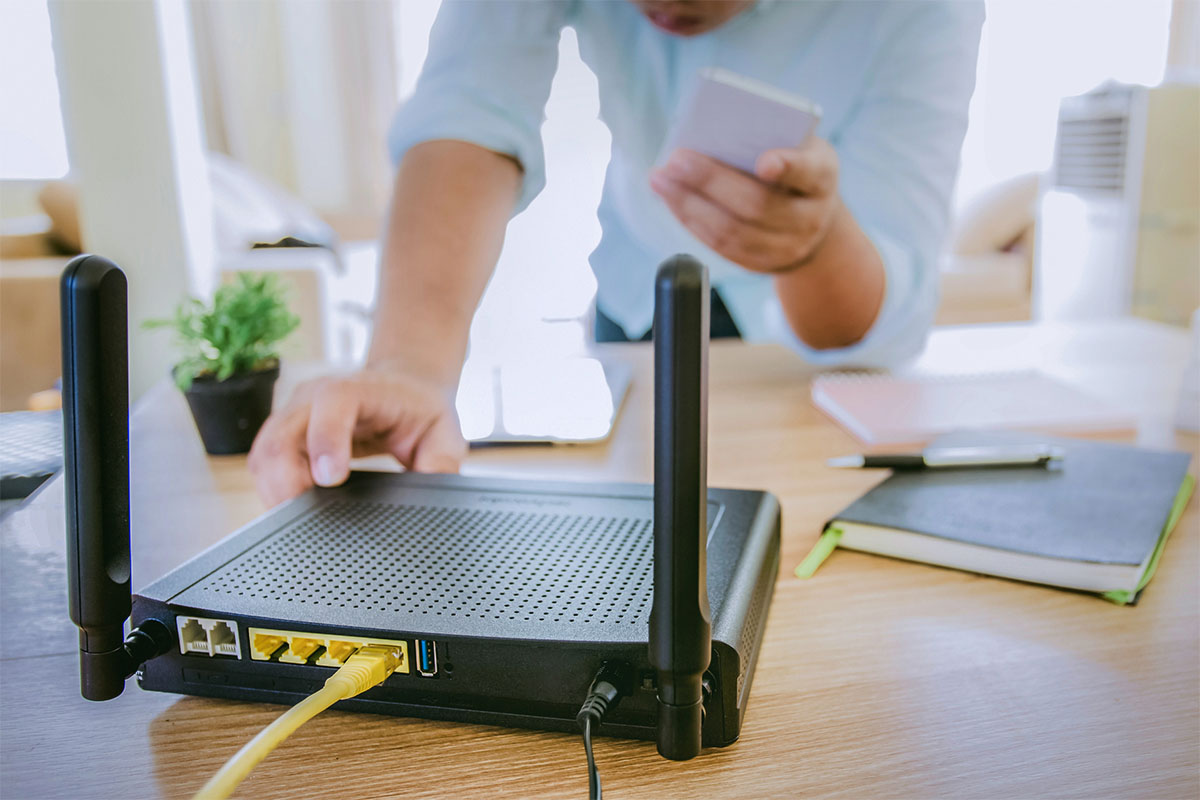
When it comes to enjoying The Big Game, Wi-Fi video streaming plays a crucial role in delivering the excitement right to your screen. A reliable internet connection ensures that every touchdown, interception, and game-changing play comes through crisp and clear without frustrating buffering or sudden interruptions.
Streaming live sports events like this presents unique challenges. High demand on networks during peak viewing times often leads to congestion, causing lagging video or dropped streams. Public Wi-Fi hotspots and cellular networks can become overwhelmed, making it difficult to maintain the smooth playback that fans expect.
This article dives into what it takes to have your Wi-Fi ready for streaming the biggest football game of the year. You’ll learn about:
- Why a stable Wi-Fi connection is essential for an enjoyable viewing experience
- Common obstacles faced during live sports streaming
- Advanced technologies designed to improve video quality and reduce disruptions
- Practical steps you can take to upgrade your home or venue network
- How internet service providers influence streaming performance during major events
Preparing your Wi-Fi setup properly means you won’t miss a single moment of the action. Read on to discover how to secure a seamless live sports streaming experience.
Why Reliable Wi-Fi Matters for Streaming The Big Game
A reliable internet connection is the backbone of an enjoyable live streaming experience. The difference between a smooth, high-quality video stream and a frustrating viewing session often hinges on how stable and fast your Wi-Fi is.
Impact on Video Quality and Viewer Experience
When your Wi-Fi connection holds steady, the streaming quality remains consistent. This means you get:
- Crisp visuals without pixelation
- Clear audio without lag or distortion
- Seamless transitions during fast-paced action moments
Any fluctuation in connection speed or stability can degrade this experience significantly. Video may downgrade to lower resolutions automatically, making it hard to follow the game details or player movements.
Common Issues: Buffering and Interruptions
Buffering is the most notorious symptom of unreliable Wi-Fi during live events. It occurs when your device runs out of data to play ahead because the network can’t deliver the stream fast enough. You might notice:
- Pauses in video playback while loading
- Delays between live action and what you see on screen
- Unexpected dropouts or disconnections interrupting the flow of the game
These interruptions break immersion and can cause you to miss key plays or commentary.
Network Congestion During Major Sports Events
The Big Game attracts millions of simultaneous viewers, often concentrated in specific areas like homes, bars, or stadiums. This results in heavy network congestion:
- Multiple devices compete for bandwidth on the same Wi-Fi network
- Cellular towers near crowded venues experience overload from numerous users accessing 4G/5G networks
- Public Wi-Fi hotspots become saturated with traffic
Network congestion leads to slower speeds and higher latency, which worsens buffering and lowers streaming quality. Without a reliable internet connection capable of handling this load, even powerful devices struggle to maintain smooth video streaming.
The challenge lies not just in having internet access but ensuring it can support high-demand scenarios typical of major sports events. Understanding these impacts helps you recognize why investing in reliable Wi-Fi setup is essential before game day arrives.
Challenges in Streaming Live Football Games Over Wi-Fi
Streaming a live football game over Wi-Fi introduces several technical challenges that can impact the quality of your viewing experience. These challenges mainly come from network congestion, increased latency, and the strain placed on both cellular networks and public Wi-Fi hotspots.
High Demand on Cellular and Public Wi-Fi Networks
- Network congestion peaks dramatically during major events. Millions of fans simultaneously accessing streaming services push cellular towers and public Wi-Fi access points beyond their usual capacity.
- Cellular networks (4G/5G) often become bottlenecks because they were not designed to handle such concentrated traffic volumes in one area. Public Wi-Fi hotspots at sports bars, arenas, or fan zones face similar overloads.
- This high demand results in fluctuating connection speeds and interrupted data flow, negatively affecting video streaming quality.
Impact of Multiple Simultaneous Connections
- When many devices connect to the same network (whether at home, a stadium, or a public venue) the available bandwidth is divided among them.
- Each additional user reduces the bandwidth per device, causing slower download speeds and increased buffering during live streams.
- Latency, or the delay between data request and delivery, rises as the network struggles to manage multiple simultaneous connections. This delay can cause video streams to lag behind real-time action, spoiling the excitement of live football games.
Specific Challenges During Large-Scale Football Game Streaming
- Variable signal strength across different parts of a venue can cause inconsistent streaming quality. Users farther from routers or cell towers may experience more frequent interruptions.
- Streaming platforms demand consistent upload and download speeds to maintain HD or 4K quality. Any fluctuation translates into pixelation, frame drops, or abrupt pauses.
- Mobile devices switching between cellular towers while moving through crowded areas add complexity by temporarily dropping connections.
- Public Wi-Fi security protocols sometimes limit bandwidth per user or throttle streaming services to preserve network integrity for all users.
These factors create a challenging environment for anyone trying to enjoy a smooth, uninterrupted stream of a live football game using conventional Wi-Fi or cellular networks alone. Addressing these issues requires adopting advanced technologies designed to manage congestion and improve connection stability during peak usage moments.
Advanced Technologies to Enhance Wi-Fi Video Streaming Experience During The Big Game
Streaming live sports, especially major events, demands a connection that is both fast and stable. One powerful solution gaining traction is multi-source internet bonding, which combines several internet connections into a single, robust pipeline. This approach tackles the weaknesses of individual networks by pooling their strengths.
What Is Multi-Source Internet Bonding?
Imagine having access to your home Wi-Fi, a cellular network (4G/5G), and even a wired Ethernet connection all at once. Instead of relying on just one, multi-source bonding technology merges these into one bonded super-connection. This setup distributes your streaming data across multiple channels simultaneously.
- Increased speed: Combining bandwidth from different sources boosts overall throughput.
- Enhanced stability: If one connection weakens or drops, others compensate seamlessly.
- Reduced latency: By balancing traffic intelligently, delays in video streams decrease.
This technology transforms traditional Wi-Fi video streaming by eliminating common issues like buffering or sudden drops in quality during high-stakes matches.
Watching live sports events means dealing with unpredictable network conditions and heavy usage loads. Bonded super-connections address these challenges by:
- Preventing interruptions: When millions tune in simultaneously, some individual connections may falter. Multi-source bonding keeps the stream intact by rerouting data through healthier pathways.
- Maintaining high-definition streams: 4K and HD streams require consistent bandwidth. Bonding ensures the necessary capacity without stutters.
- Supporting multiple devices: In venues or homes where many viewers connect their devices, bonded connections distribute traffic efficiently to avoid bottlenecks.
Mitigating Weak or Unreliable Connections
Single internet sources can be unreliable due to physical obstructions, signal interference, or network congestion. Technologies like Speedify act as an insurance policy for your stream by:
- Detecting when a connection’s performance degrades.
- Automatically shifting data packets away from weaker links without user intervention.
- Combining partial bandwidths from several suboptimal connections into a usable whole.
The result is a smoother viewing experience even if one or more sources are struggling.
Implementing bonded internet connections represents a significant advancement for anyone serious about streaming The Big Game without hiccups. The ability to harness multiple internet sources simultaneously sets new standards for reliability and quality in live sports streaming over Wi-Fi.
Upgrading Your Home or Venue Wi-Fi Setup: Preparing for an Epic Sports Streaming Experience
When getting ready to stream a major event, your Wi-Fi setup is crucial for a smooth viewing experience. Wi-Fi 6 technology is a significant improvement over previous Wi-Fi standards, specifically designed to handle high-demand situations like busy living rooms or sports bars filled with fans.
Advantages of Wi-Fi 6 Over Previous Standards
1. Higher Capacity
Wi-Fi 6 supports more devices simultaneously without slowing down the network. This means when multiple friends or family members connect their phones, tablets, smart TVs, and streaming devices during the game, each device maintains good performance.
2. Improved Speed and Efficiency
With faster data rates and better use of available spectrum, Wi-Fi 6 helps reduce lag and buffering issues that older routers face during peak usage times.
3. Better Performance in Crowded Spaces
Technologies like Orthogonal Frequency-Division Multiple Access (OFDMA) allow Wi-Fi 6 to divide channels efficiently so many users can share the same bandwidth without interference.
Understanding Throughput and Latency in Simple Terms
Throughput refers to how much data your network can send and receive per second. Higher throughput means your video streams load quickly and maintain high resolution.
Latency is the delay between sending a request (like clicking play) and receiving the response (the video starting). Lower latency means less waiting time and smoother live interaction.
Wi-Fi 6 improves both by optimizing signal transmission, which helps keep live sports streams crystal clear even when many viewers are online at once.
Managing Numerous Devices Without Compromising Quality
Game day often involves multiple devices connected simultaneously; not just streaming the match but also checking stats, sharing reactions on social media, or controlling smart home devices.
Wi-Fi 6’s ability to handle multiple simultaneous connections effectively relies on:
- Multi-user Multiple Input Multiple Output (MU-MIMO): Allows the router to communicate with several devices at once instead of sequentially.
- Target Wake Time (TWT): Helps devices schedule transmissions efficiently, conserving bandwidth and battery life while avoiding congestion.
These features mean you won’t have to pick who gets priority on your network; everyone can enjoy seamless streaming without interruptions.
Upgrading your router to a Wi-Fi 6 compatible model is one of the most effective ways to prepare your home or venue for an epic sports streaming experience. This upgrade ensures your network is ready to support high-quality video streams throughout The Big Game, no matter how many people join in on the action.
The Role of Internet Service Providers in Ensuring Seamless High-Quality Streaming During Major Events
Internet Service Providers (ISPs) play a critical role in delivering reliable gigabit speeds necessary for smooth Wi-Fi video streaming during major sporting events. When millions of fans tune in simultaneously to watch the championship match, network demand spikes dramatically. ISPs must maintain stable, high-capacity connections to avoid bottlenecks that cause buffering or video quality drops.
Key responsibilities and capabilities of ISPs during The Big Game include:
1. Stable Gigabit Speeds at Peak Times
ISPs need to ensure that their infrastructure can handle peak usage without degradation. This means providing consistent gigabit-level bandwidth even when many users are streaming 4K content simultaneously. Stable speeds prevent interruptions and maintain a crisp viewing experience.
2. Support for 4K Ultra-High-Definition Streams
The latest TVs and streaming devices often default to 4K resolution, which demands significant bandwidth. ISPs must offer connections that support these ultra-high-definition streams without lag or buffering. Delivering this level of quality enhances fan engagement, making viewers feel as if they’re right in the stadium.
3. Multi-Device and Multi-Game Streaming
Modern households and venues rarely watch just one stream at a time. Family members or groups might want to follow different games or access additional content like replays and stats on multiple devices simultaneously. ISPs that provide sufficient bandwidth and manage network traffic efficiently allow users to enjoy diverse streaming experiences without compromise.
ISPs often invest in advanced technologies such as fiber-optic networks and edge caching servers strategically placed near high-demand areas to improve delivery speed and reduce latency. These upgrades help keep data flowing smoothly during critical moments when every second counts.
By ensuring robust infrastructure capable of meeting the surge in demand, ISPs enable fans everywhere to enjoy uninterrupted, high-quality Wi-Fi video streaming from the comfort of their homes or at packed venues.
Practical Tips to Prepare Your Wi-Fi Setup for an Uninterrupted Live Stream of The Big Game
To ensure your Wi-Fi setup stands up to the demands of streaming this Sunday, paying attention to how you manage and optimize your connections is essential. Here’s how you can maximize performance and avoid common pitfalls:
Use Combined Internet Sources Strategically
Relying on a single internet connection creates a single point of failure that can disrupt your stream if the network slows down or drops out. Combining multiple internet sources such as home Wi-Fi, cellular data (4G/5G), Ethernet, or even satellite creates a bonded super-connection that balances traffic dynamically. This approach:
- Improves bandwidth availability by aggregating speed from all connections.
- Reduces buffering and latency by routing data through the fastest and most stable link at any given moment.
- Maintains continuity if one connection weakens or disconnects completely.
Devices and apps designed for connection bonding, like Speedify, automate this process so you don’t have to manually switch networks during the game.
Employ Real-Time Network Monitoring and Optimization Tools
Streaming quality can fluctuate due to changing network conditions or competing devices on your network. Using tools that monitor your internet performance live gives you insight into potential issues before they impact video quality. Features to look for include:
- Bandwidth usage tracking so you know which devices consume the most data.
- Latency measurement to detect delays affecting real-time streaming.
- Automatic optimization that prioritizes streaming traffic over less-critical uses like downloads or updates.
Monitoring tools help maintain consistent stream quality throughout the event by adjusting settings on the fly or alerting you when intervention is needed.
Ensure Access to Local Technical Help
Technical glitches can arise unexpectedly even with the best setup. Having local technical support available means:
- Problems get diagnosed and fixed quickly without long wait times.
- You receive personalized advice tailored to your specific hardware and ISP environment.
- Your setup stays optimized before, during, and after The Big Game.
This support might come from your ISP’s customer service, a local network specialist, or a knowledgeable friend who can assist with router configuration, signal boosting, or troubleshooting device conflicts.
Taking these practical steps gives you control over your streaming environment and reduces the chance of interruptions when every second counts during live sports action.
Enjoy A Smooth Streaming Experience This Sunday
Preparing for The Big Game means making sure your Wi-Fi is up to the task of delivering smooth, uninterrupted video streaming. This Wi-Fi readiness checklist highlights essential strategies to help you enjoy every moment without buffering or lag:
- Combine multiple internet connections to avoid single points of failure and reduce network congestion.
- Choose advanced Wi-Fi technologies like Wi-Fi 6 for improved speed, capacity, and better handling of multiple device connections.
- Utilize real-time network monitoring and optimization tools to maintain stable stream quality throughout the event.
- Have access to local technical support for quick troubleshooting if unexpected connectivity issues arise.
- Rely on your Internet Service Provider’s ability to deliver consistent gigabit speeds that support high-definition streaming demands.
Focusing on these key areas ensures your home or venue Wi-Fi setup can handle the high demand of live sports streaming. When you prioritize a robust and adaptive network environment, your wi-fi video streaming experience during The Big Game will be seamless, high-quality, and thoroughly enjoyable. Make these preparations part of your game-day plan and watch the action unfold without interruption.
FAQs (Frequently Asked Questions)
Why is reliable Wi-Fi crucial for streaming The Big Game live?
Reliable Wi-Fi ensures a smooth and uninterrupted streaming experience during The Big Game by preventing buffering, reducing interruptions, and maintaining high video quality even during network congestion caused by multiple users.
What are the common challenges faced when streaming live football games over Wi-Fi?
Streaming live football games over Wi-Fi faces challenges such as network congestion from many simultaneous connections, increased latency, and limited bandwidth especially on cellular and public Wi-Fi networks during major events like The Big Game.
How do advanced technologies like bonded internet connections improve Wi-Fi video streaming for live sports?
Advanced technologies like Speedify use multi-source internet bonding to combine multiple internet connections, enhancing stability and speed. This approach mitigates weak or unreliable individual connections, ensuring uninterrupted and high-quality live sports streaming during The Big Game.
What benefits does upgrading to Wi-Fi 6 provide for streaming in large gatherings?
Wi-Fi 6 offers improved throughput and reduced latency, enabling better management of multiple simultaneous device connections without compromising stream quality. This makes it ideal for high-demand environments like venues hosting large groups watching The Big Game together.
How do Internet Service Providers support seamless high-quality streaming during major sports events?
ISPs play a critical role by delivering stable gigabit speeds that support 4K ultra-high-definition streams without lag or buffering. They also enable simultaneous multi-device and multi-game streaming experiences, catering to diverse viewer preferences during The Big Game.
What practical steps can viewers take to prepare their Wi-Fi setup for an uninterrupted live stream of The Big Game?
Viewers can prepare by combining multiple internet sources to avoid single-point failures, using real-time network monitoring and optimization tools to maintain stream quality, and ensuring access to local technical support for quick troubleshooting if issues arise during the event.